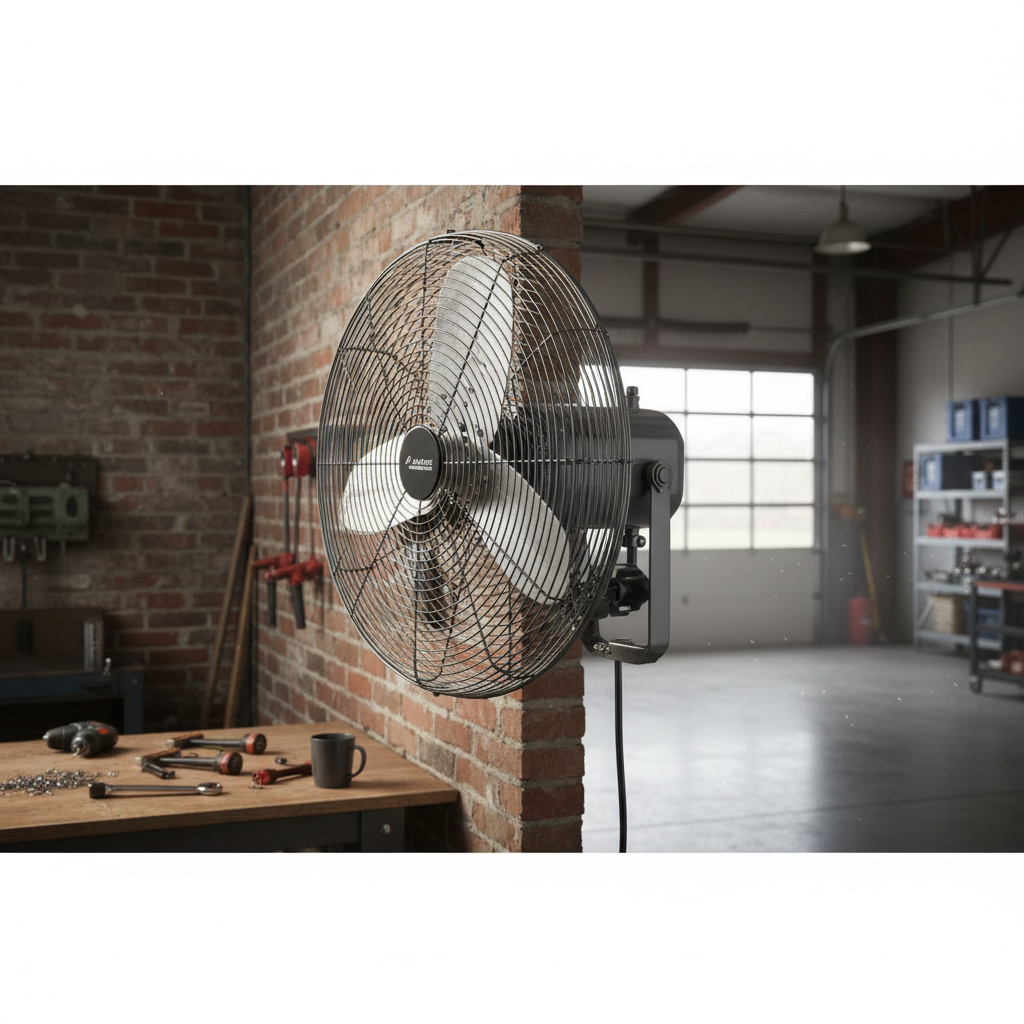
Imagine drifting off to sleep enveloped in a cool, gentle breeze, only for the fan to silently power down as the room reaches your perfect temperature. Waking up refreshed, without the chill of an overnight breeze or the annoyance of having to get out of bed to adjust settings—this is the comfort a fan with a sleep timer and remote offers. In today’s fast-paced world, optimizing your sleep environment is paramount, and these smart fans are designed to deliver just that. They blend convenience with advanced functionality, transforming how you experience cooling and rest.
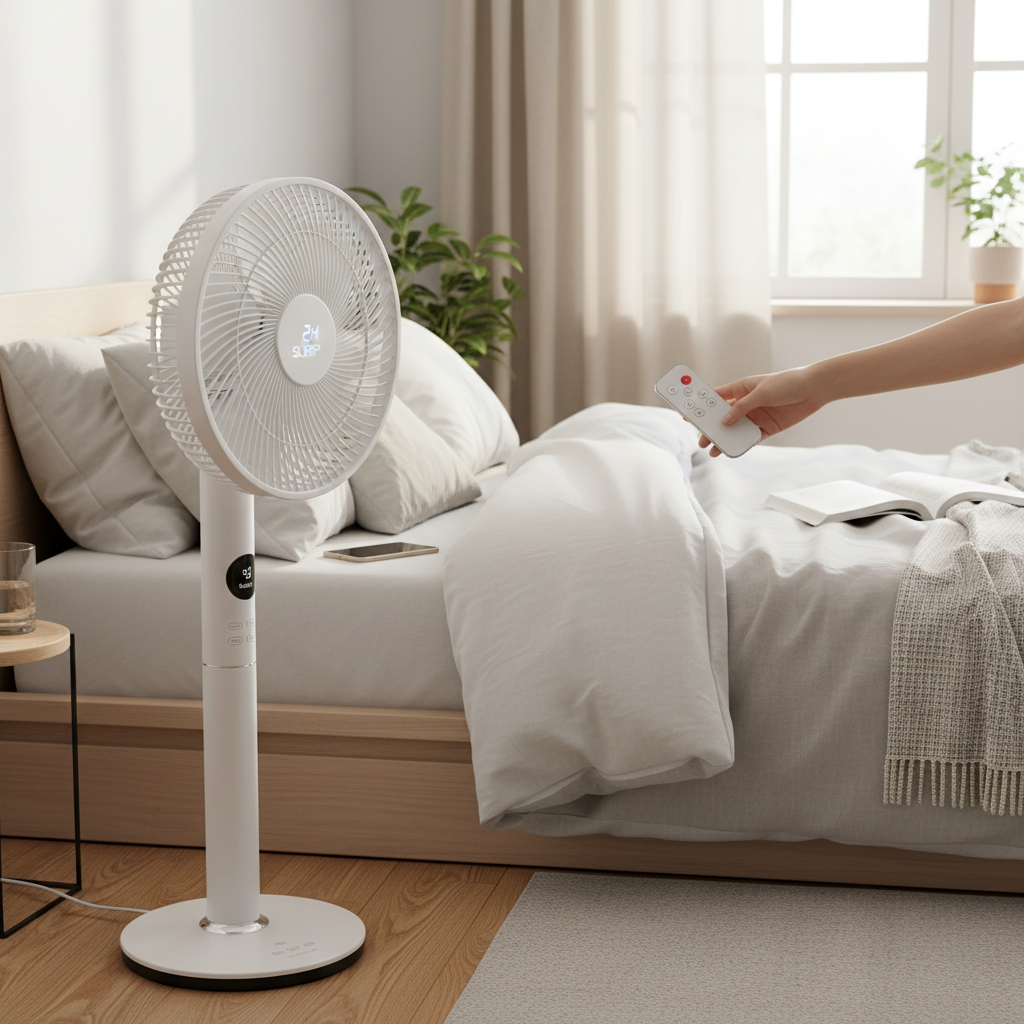
This comprehensive guide will explore why these specialized fans are a game-changer for enhancing comfort, delving into the various types available, the essential features to prioritize, and a comparison of top models. We will also provide practical advice on usage and maintenance, ensuring you make the best choice to achieve your ideal sleeping sanctuary.
Why Choose a Fan with a Sleep Timer and Remote?
The integration of a sleep timer and remote control into modern fans isn’t just about added gadgets; it’s about elevating your comfort, convenience, and energy efficiency. These features combine to create an optimal environment for restful sleep and everyday cooling.
The primary benefit lies in the unparalleled convenience a remote control offers. No longer do you need to interrupt your relaxation to adjust fan settings. Whether you’re nestled in bed or lounging on the couch, a simple click allows you to control power, speed, oscillation, and modes from anywhere in the room. This seamless interaction enhances usability significantly, letting you fine-tune your comfort without physical effort.
Moreover, sleep timers are indispensable for cultivating an ideal sleep environment. Many people prefer a cool room to fall asleep, but often find themselves waking up chilled in the early morning hours if the fan runs continuously. A timer lets you set the fan to operate for a specific duration, such as 1 to 8 or even 12 hours, before automatically shutting off. This ensures you stay cool during the initial hours of sleep without overcooling your space later in the night. Additionally, turning off the fan automatically helps conserve energy, reducing your electricity bill and environmental footprint.
“A fan timer is a safer option to keep removing steam after you leave a bathroom, compared to leaving a window open!” – Simx, Fan Manufacturer, highlighting the energy-saving and practical benefits of timers.
By intelligently managing temperature and airflow, these fans promote deeper, more restorative sleep, allowing your body to recharge both physically and mentally. Many models also incorporate dedicated “sleep modes” that further enhance nighttime comfort by reducing fan speed and dimming display lights, creating a truly undisturbed atmosphere.
Types of Fans Offering Sleep Timers and Remotes
The market offers a diverse range of fans equipped with sleep timers and remotes, each suited to different spaces and preferences. Understanding their distinct characteristics can help you select the perfect cooling solution for your home.
Tower Fans
|
Our Picks for the Best Pedestal fan in 2026
As an Amazon Associate I earn from qualifying purchases.
|
||
| Num | Product | Action |
|---|---|---|
| 1 | Lasko 2521 16 Inch 3-Speed Quiet Adjustable Tilting Wide-Area Oscillating Standing Pedestal Fan for Bedroom, Kitchen, Home, and Office, Black |

|
| 2 | JRD Fan for Bedroom, 70° Oscillating Standing Fan, 100ft Quiet Pedestal Fans for Home Office, 85° Manual Vertical, Touch+Remote, 24H Timer,32 Wind Speeds, 39-43" Adjustable Height, Air Circulator |
|
| 3 | PELONIS 16 inch Pedestal Fan for Bedroom , Oscillating Fan, 3-Speeds, 90° Oscillation, Adjustable Height, Floor Fan, Standing Fan for Living Room, Kitchen, and Home office, Black |
|
| 4 | Amazon Basics 16" Pedestal Fan with Remote for Bedroom, Living Room, Office, Adjustable Height, Dual-Layered Blades, 3 Speeds, 3 Modes, Timer, Tilt Head, 60W, Black |
|
| 5 | Lasko Oscillating Cyclone Pedestal Fan, Adjustable Height, Timer, Remote Control, 3 Speeds, for Bedroom, Living Room, Home Office, 18", Black, 1843 |
|
| 6 | Lasko 2520 Oscillating Stand Fan,White 16 Inch |
|
| 7 | DREO Fan for Bedroom, 2026 Upgraded, 90ft Airflow, 20dB Quiet Fan, 90° Oscillating Standing Fan for Whole Room, DC Motor, 8+H Speeds, 3 Modes, 38-42'' Adjustable Height, 8H Timer, 105° Manual Vertical |
|
| 8 | DREO Fan for Bedroom, 2026 Upgraded, 90ft Airflow, 20dB Quiet Fan, 90° Oscillating Standing Fan for Whole Room, DC Motor, 8+H Speeds, 3 Modes, 38-42'' Adjustable Height, 8H Timer, 105° Manual Vertical |
|
| 9 | Lasko Pedestal Fan, Oscillating Fan for Bedroom with Adjustable Height and 3 Cooling Speeds, Portable, 18", Black, 1827 |
|
| 10 | DREO Fan for Bedroom, 2026 Upgraded, 90ft Airflow, 20dB Quiet Fan, 90° Oscillating Standing Fan for Whole Room, DC Motor, 8+H Speeds, 3 Modes, 38-42'' Adjustable Height, 8H Timer, 105° Manual Vertical |
|
Tower fans are characterized by their tall, slender design, making them an excellent choice for optimizing space. They typically feature internal oscillating louvers that distribute air widely across a room without requiring the entire unit to turn. These fans are particularly popular for bedrooms and living areas due to their quiet operation and ability to provide a consistent, widespread breeze. Many tower models come with sophisticated controls, including multiple speed settings, specialized “sleep” or “natural breeze” modes, and comprehensive timers often managed via a remote control or even a smartphone app. Their narrow profile makes them easy to tuck into corners, though their vertical airflow may be less adjustable than other types.
Pedestal Fans
Pedestal fans, also known as standing fans, are highly versatile due to their adjustable height and powerful airflow. They feature a traditional bladed design mounted on a stand, offering wide-ranging oscillation and the ability to tilt the fan head vertically. This allows for precise direction of airflow, whether you need a direct blast of cool air or a more general circulation throughout a larger room. Many modern pedestal fans incorporate remote controls and programmable timers, providing the convenience of adjusting settings from a distance. While they offer superior air movement and height adjustability, their larger footprint might be a consideration for smaller spaces. Some advanced models also include quiet DC motors for improved energy efficiency and reduced noise.
Desk/Table Fans
Compact and portable, desk or table fans with sleep timers and remotes are ideal for personal cooling in smaller areas like offices, dorm rooms, or bedside tables. Despite their size, many models deliver surprisingly effective airflow and include features commonly found in larger fans. These can include multiple speed settings, oscillation, and timers to automatically switch off, all controllable via a small remote. Their portability allows you to easily move them to where cooling is most needed. While not designed for whole-room cooling, they excel at creating a personal comfort zone, ensuring you stay cool without disturbing others or wasting energy. Brands like Woozoo offer compact fans with robust features.
Bladeless Fans
Bladeless fans, popularized by brands like Dyson, represent the cutting edge in fan technology. They draw air into their base, amplifying it and expelling it through a narrow aperture to create a smooth, consistent airflow without visible blades. This design offers several advantages: enhanced safety (especially for homes with children or pets), easier cleaning, and a sleek, modern aesthetic. Many bladeless fans are engineered for extremely quiet operation, often featuring specific “sleep modes” that dim displays and lower speeds to an almost inaudible level. They almost universally come with remote controls and advanced timer functions, allowing for precise environmental control. While typically more expensive, their design and performance justify the investment for many users seeking premium comfort.
Essential Features to Look for
When investing in a fan with a sleep timer and remote, paying close attention to specific features can significantly impact your comfort, convenience, and satisfaction. Beyond the basic functionality, several key attributes distinguish a good fan from a great one.
Sleep Timer Duration
The range of the sleep timer is a crucial consideration. Most fans offer timers from 1 to 8 hours, while some advanced models extend up to 12 hours. Consider your sleep patterns; if you only need the fan to help you fall asleep, a shorter timer (1-4 hours) might suffice. If you desire prolonged cooling through the night but wish for the fan to power off before morning, a longer duration is beneficial. An adjustable timer allows you to customize the cooling period, preventing unnecessary operation and saving energy.
Remote Control Design & Range
An effective remote control is intuitive and easy to use, especially in low light. Look for a remote with clearly labeled buttons for power, speed, oscillation, modes, and timer settings. Some remotes offer magnetic storage, allowing them to conveniently attach to the fan itself, reducing the chances of misplacement. Consider the remote’s operating range; a good remote should work effectively from across your room without needing precise aiming. Models with larger, more distinct buttons or backlit displays can be particularly user-friendly.
Noise Level (dB)
For fans used in bedrooms, the noise level is paramount. Measured in decibels (dB), a lower number indicates quieter operation. Many manufacturers highlight “QuietSet” or “TurboSilent” technologies, and some models claim noise levels as low as 20-28 dB on their lowest settings, comparable to a whisper. Dedicated “sleep modes” are designed to minimize noise, often producing a gentle hum that can double as soothing white noise without being disruptive. Reading reviews specifically mentioning quietness in a sleep setting is highly recommended.
Multiple Fan Speeds & Modes
A fan with a wide range of speed settings (e.g., 5, 8, or even 12 speeds) allows for precise airflow customization, from a soft breeze to a powerful gust. Beyond speeds, various modes enhance functionality:
- Sleep Mode: Reduces fan speed and often dims display lights for undisturbed rest.
- Natural Mode: Mimics outdoor breezes by varying fan speed, creating a more dynamic and less artificial feel.
- Eco Mode: Adjusts fan speed based on room temperature to save energy.
- Auto Mode: Automatically adjusts speed according to the ambient temperature.
Oscillation
Oscillation refers to the fan’s ability to sweep air across a wider area. Most fans offer horizontal oscillation (left-to-right), typically 90° or 120°. Some advanced models provide vertical oscillation, and a few even offer 3D oscillation (both horizontal and vertical), ensuring comprehensive air circulation throughout the entire room. The extent of oscillation you need depends on the size of your room and how many people you want to cool.
Display Dimming/Off Feature
Bright LED displays can be a significant disturbance in a dark bedroom. Many fans designed for sleep come with a feature to dim or completely turn off the display lights after a few seconds of inactivity. This seemingly minor detail is crucial for maintaining a truly dark and conducive sleep environment.
Smart Home Integration
For the tech-savvy, some modern fans offer smart home integration, allowing control via smartphone apps or voice assistants like Alexa and Google Assistant. This adds another layer of convenience, enabling you to control your fan even when you’re not in the same room or hands-free. These smart features often include scheduling capabilities and more detailed customization options.
Build Quality & Ease of Cleaning
A durable fan made from quality materials will last longer. Look for sturdy bases and robust construction. Ease of cleaning is also vital for maintaining air quality and fan efficiency. Fans with removable vents or filters simplify the cleaning process, preventing dust and allergens from accumulating and recirculating in your air. Bladeless designs are inherently easier to clean than traditional caged fans.
Top Picks: A Comparison Table of Leading Models
Choosing the right fan involves balancing features, performance, and budget. Here’s a comparison of some highly-rated fans with sleep timers and remotes, highlighting their key attributes to help you make an informed decision.
| Model | Type | Key Features | Pros | Cons |
|---|---|---|---|---|
| Honeywell QuietSet 5 Tower Fan (HYF260) | Tower | 5 speeds, Oscillation, Remote, 1-2-4-8hr timer, Dimming lights, Quiet modes | Excellent for bedrooms, multiple quiet settings, auto-dimming | Less powerful than some larger fans |
| Dyson Cool CF1 | Bladeless | 10 speeds, Remote, 0.5-8hr timer, Sleep mode, 3 oscillation ranges, Vertical tilt | Whisper-quiet, safe, sleek design, precise airflow control | High price point, no smart app in some regions |
| Dreo Smart Tower Fan (e.g., 519S) | Tower | 8-12 speeds, 4 modes (incl. Sleep, Natural, Auto), Remote/App/Voice, 8hr timer, 90°-120° Oscillation | Very quiet (as low as 25dB), powerful airflow, smart features | App control might have a learning curve |
| Lasko Eco Quiet Tower Fan (T42710) | Tower | 12 speeds, Remote, 7.5-12hr timer, Night mode, Oscillation, Quiet operation | Extended timer, good airflow, energy-efficient DC motor | May not be as quiet as premium models on highest settings |
| Levoit Pedestal Fan | Pedestal | 12 speeds, Remote, 1-12hr timer, Horizontal & Vertical Oscillation, Eco & Sleep modes, Display dimming | Extremely quiet (as low as 20dB), versatile oscillation, smart modes | Higher price than basic pedestal fans, larger footprint |
| Woozoo Oscillating Fan | Desk/Compact | 3-5 speeds, Remote, 1-2-4hr timer, 360° Oscillation, Natural breeze mode | Very compact, quiet on low, wide oscillation, affordable | Shorter timer, limited to smaller rooms |
| Vornado AXL Low Profile Fan | Desk/Table | Powerful airflow, Low noise, Remote, 1-8hr timer, Digital thermostat | Strong personal cooling, quiet, durable | Less suitable for whole-room cooling, low-profile design |
Note: Prices are approximate and can vary by retailer and promotions.
Maximizing Your Fan’s Performance: Usage & Maintenance
To ensure your fan with a sleep timer and remote provides optimal cooling and lasts for years, proper usage and regular maintenance are essential. A little care goes a long way in preserving its efficiency and your comfort.
Strategic Placement
The location of your fan significantly impacts its effectiveness. For general room cooling, place the fan in a corner or near a window to draw in fresh air and circulate it throughout the space. If you’re using a tower or pedestal fan, ensure it has enough room to oscillate without obstruction. For personal cooling, position a desk or pedestal fan directly towards your sleeping or working area. Avoid placing fans directly against walls, as this can impede airflow and potentially increase noise.
Regular Cleaning for Efficiency
Over time, dust and debris can accumulate on fan blades, grilles, and filters, reducing airflow and potentially increasing energy consumption. Regular cleaning is crucial.
- For bladed fans: Unplug the fan and use a screwdriver to remove the front grille. Wipe the blades and grilles with a damp cloth or vacuum cleaner attachment.
- For tower and bladeless fans: These are generally easier to clean. Use a soft, dry cloth or a vacuum with a brush attachment to wipe down the exterior and clean air intakes. Some models feature removable filters that can be easily rinsed or replaced.
Aim to clean your fan at least once a month, or more frequently if you live in a dusty environment or have pets.
Troubleshooting Common Issues
While fans with timers and remotes are generally reliable, you might encounter minor issues.
- Remote not working: Check the batteries first. Ensure there’s no obstruction between the remote and the fan’s receiver. Some remotes use infrared (IR) and require a direct line of sight.
- Fan not turning on: Verify it’s plugged in securely. Check your home’s circuit breaker.
- Unusual noises: Dust accumulation can cause rattling or grinding sounds. A thorough cleaning often resolves this. If the noise persists, it might indicate a mechanical issue that requires professional attention or warranty claim.
- Timer not engaging: Double-check the timer settings on the remote or control panel. Ensure you’re selecting the desired duration correctly.
By following these simple usage tips and maintenance routines, you can extend the lifespan of your fan and continue to enjoy its cooling benefits with minimal hassle.
Where to Purchase Your Ideal Fan
Finding the perfect fan with a sleep timer and remote is easier than ever, with numerous options available both online and in physical stores. Knowing where to look and what to consider when buying can simplify your shopping experience.
Major online retailers like Amazon, Best Buy, and The Home Depot offer a vast selection of fans from various brands. These platforms typically provide detailed product descriptions, customer reviews, and comparative pricing, allowing you to research extensively before making a decision. Keep an eye out for seasonal sales, especially during warmer months, to find the best deals. When buying online, always check the seller’s return policy and warranty information.
Electronics stores and home appliance centers, such as those that carry brands like Dreo, Honeywell, and Dyson, provide the advantage of seeing the fan in person. This allows you to assess its size, build quality, and even listen to its noise level on different settings. Sales associates can also offer insights and answer specific questions.
When purchasing, whether online or offline, always consider the following:
- Read Reviews: Customer reviews offer real-world insights into a fan’s performance, durability, and features like noise level and remote functionality.
- Check Warranty: A good warranty indicates the manufacturer’s confidence in their product. Understand the terms and duration of the warranty.
- Compare Features to Your Needs: Revisit the “Essential Features” section and prioritize what matters most to your comfort and lifestyle. Don’t pay for features you won’t use.
- Budget: Fans with sleep timers and remotes come in a wide price range. Set a realistic budget, but remember that investing in a higher-quality fan often means better performance, durability, and energy efficiency in the long run.
Choosing a reputable retailer and taking these considerations into account will ensure a smooth purchase and a fan that brings lasting comfort to your home.
Conclusion
Choosing the best fan with a sleep timer and remote means investing in your comfort, peace of mind, and energy efficiency. These modern cooling solutions go beyond basic air circulation, offering the ultimate convenience of adjusting settings from afar and the intelligent benefit of automatic shut-off to prevent overcooling and save power. From the quiet efficacy of a tower fan to the robust airflow of a pedestal model, and the sleek safety of a bladeless design, there’s a perfect fan engineered to meet your specific needs.
By carefully considering features like timer duration, noise level, multiple modes, and smart integration, you can tailor your cooling experience to create an optimal environment for restful sleep and enhanced daytime comfort. With thoughtful selection and proper maintenance, your fan will be a reliable ally against the heat for years to come. Isn’t it time to upgrade your personal climate control and embrace truly effortless comfort?
Frequently Asked Questions
Are quiet fans with sleep timers really effective at cooling?
Yes, many quiet fans, especially those with specialized “sleep modes” or DC motors, are highly effective at cooling. While they may operate at lower noise levels, they are designed to provide sufficient airflow to maintain a comfortable temperature in your room, often enhancing sleep quality without disruptive sounds.
How do sleep timers help save energy?
Sleep timers help save energy by automatically turning off the fan after a set period, such as 1 to 8 hours. This prevents the fan from running unnecessarily throughout the entire night or day when cooling is no longer needed, reducing electricity consumption and lowering your utility bills.
What’s the ideal timer duration for a fan used overnight?
The ideal timer duration depends on your personal preference. Many people find 4 to 8 hours sufficient to help them fall asleep and remain comfortable during the initial, hottest part of the night. Some fans offer timers up to 12 hours for those who prefer longer operation.
Can I control smart fans with my smartphone?
Yes, many smart fans with sleep timers and remotes can be controlled via a dedicated smartphone app. These apps often offer additional features like scheduling, customizing airflow patterns, and integrating with other smart home devices or voice assistants like Alexa and Google Assistant.
Are bladeless fans quieter than traditional fans with blades?
Bladeless fans are often perceived as quieter because they produce a smoother, less choppy airflow compared to traditional bladed fans. While they still generate some noise, it’s typically a less abrasive hum, and many models are engineered for exceptionally low decibel levels, especially on their sleep settings.