Is your trusty fan stuck staring in one direction, refusing to spread its cooling breeze? A broken oscillating knob is a common nuisance, but it doesn’t always mean your fan is destined for the landfill. As an experienced technician with over a decade in the fan industry, I’ve seen countless fans with this exact issue. The good news is that many of these problems can be resolved with a few simple DIY repairs, saving you money and extending the life of your appliance. This comprehensive guide will walk you through diagnosing the problem and applying practical, real-world solutions to get your fan oscillating smoothly again.
Understanding Your Fan’s Oscillation Mechanism
Before diving into repairs, it’s helpful to understand how your fan’s oscillation works. Most pedestal and desk fans use a simple mechanical system. The oscillating knob, typically located on the top or back of the fan’s motor housing, is connected to an internal shaft. When you push this knob down, it engages a set of gears within a small gearbox, usually at the rear of the motor. These gears, driven by the fan’s motor, translate rotational energy into the side-to-side motion that makes the fan head sweep across the room. Pulling the knob up disengages these gears, allowing the fan to blow in a fixed direction.
Common reasons for this mechanism to fail include general wear and tear on plastic components, brittle plastic shafts or knobs cracking over time, or the internal gears becoming stripped or misaligned due to sudden impacts or prolonged use.
Diagnosing the Broken Oscillating Knob
Identifying the exact point of failure is crucial for a successful DIY repair. Start by inspecting the knob itself.
- Is the knob cracked or broken? Often, the plastic stem inside the knob that connects to the oscillation shaft can crack, preventing it from properly engaging or disengaging the mechanism.
- Does the knob feel loose or spin freely without activating oscillation? This could indicate a stripped internal shaft or a disconnect between the knob and the gear mechanism.
- Does the knob seem fine, but the fan still won’t oscillate? If the knob appears intact and operates as expected (pushing down and pulling up with resistance), the issue might lie deeper within the internal gearbox, potentially with a broken or stripped gear.
A quick visual inspection can often reveal a cracked knob, but if the issue isn’t immediately obvious, you might need to proceed to more in-depth troubleshooting.
DIY Solutions for a Broken Oscillating Knob
Many common issues with fan oscillating knobs can be remedied with a few straightforward DIY methods. Here are some of the most effective techniques.
Method 1: Reinforcing a Cracked Plastic Knob (The Brass Tubing Hack)
A common culprit for a failing oscillating knob is a cracked plastic stem. This simple yet ingenious fix provides reinforcement, making the knob functional again.
-
Materials Needed:
- Small piece of brass tubing (e.g., 15/32-inch diameter, available at hardware stores)
- Tubing cutter or fine-toothed saw
- Small flat-head screwdriver or similar tool
- Pliers (optional, for gripping)
-
Step-by-Step Instructions:
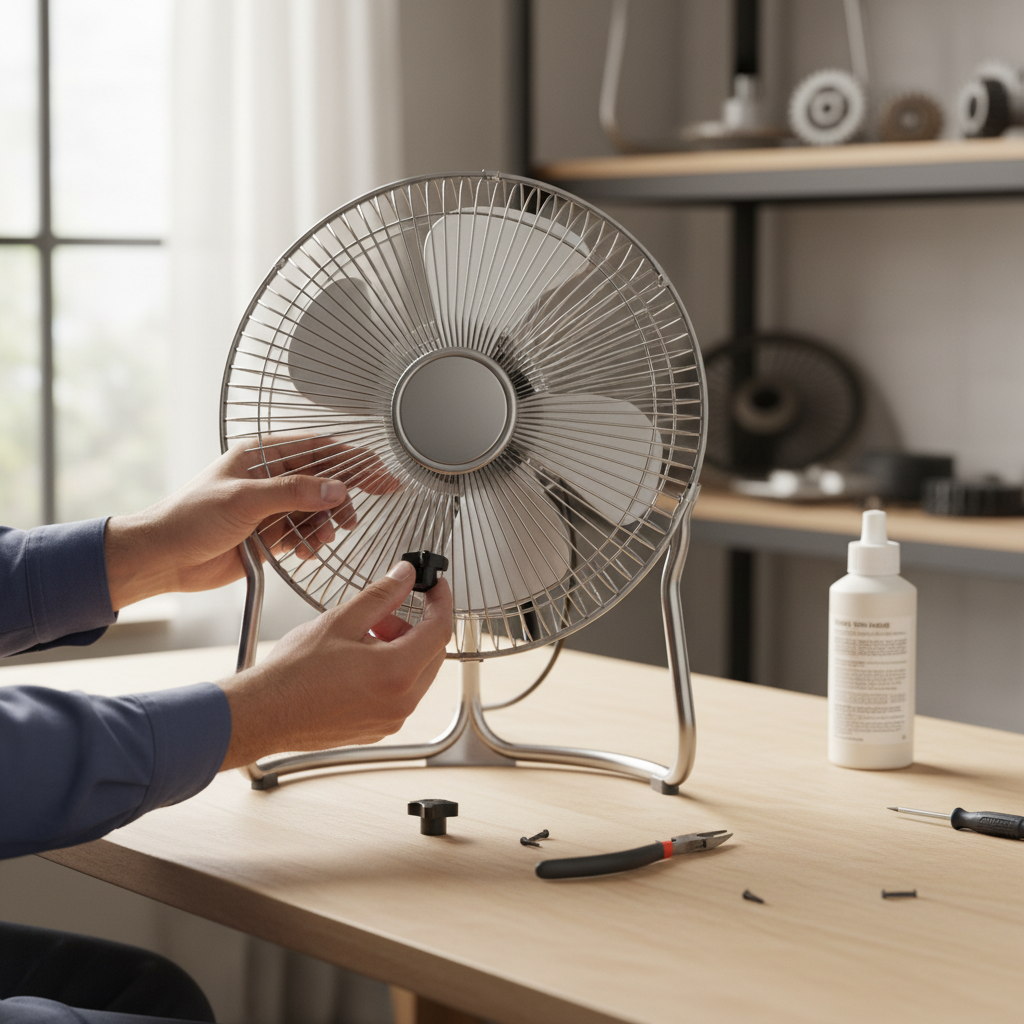
- Remove the Knob: Carefully pull the broken knob off the fan’s oscillation shaft.
- Cut the Tubing: Using a tubing cutter or a fine-toothed saw, cut a small section (about 3/16 inch) from the brass tubing. The goal is to create a small sleeve that will fit snugly inside the knob’s stem.
- Prepare the Tubing: One end of the cut tubing will likely have a burr (a rough edge). Leave this burr; it will help secure the sleeve.
- Insert the Sleeve: Slip the brass tubing sleeve over the internal plastic shaft within the knob. Position the reamed (uncut) edge first, then press the burred edge over the shaft.
- Seat the Sleeve: Once the sleeve is over the plastic shaft, use a small flat-head screwdriver or a similar tool to gently push around the edges of the brass tubing. This helps the burr dig into the plastic, creating a secure, non-slip fit.
- Reattach the Knob: Once the brass sleeve is firmly seated, reattach the knob to your fan’s oscillation shaft. Test the oscillation functionality.
|
Our Picks for the Best Pedestal fan in 2026
As an Amazon Associate I earn from qualifying purchases.
|
||
| Num | Product | Action |
|---|---|---|
| 1 | DREO Fan for Bedroom, 2026 Upgraded, 90ft Airflow, 20dB Quiet Fan, 90° Oscillating Standing Fan for Whole Room, DC Motor, 8+H Speeds, 3 Modes, 38-42'' Adjustable Height, 8H Timer, 105° Manual Vertical |

|
| 2 | Lasko Oscillating Cyclone Pedestal Fan, Adjustable Height, Timer, Remote Control, 3 Speeds, for Bedroom, Living Room, Home Office, 18", Black, 1843 |
|
| 3 | DREO Fan for Bedroom, 2026 Upgraded, 90ft Airflow, 20dB Quiet Fan, 90° Oscillating Standing Fan for Whole Room, DC Motor, 8+H Speeds, 3 Modes, 38-42'' Adjustable Height, 8H Timer, 105° Manual Vertical |
|
| 4 | Amazon Basics 16" Pedestal Fan with Remote for Bedroom, Living Room, Office, Adjustable Height, Dual-Layered Blades, 3 Speeds, 3 Modes, Timer, Tilt Head, 60W, Black |
|
| 5 | PELONIS 16 inch Pedestal Fan for Bedroom , Oscillating Fan, 3-Speeds, 90° Oscillation, Adjustable Height, Floor Fan, Standing Fan for Living Room, Kitchen, and Home office, Black |
|
| 6 | JRD Fan for Bedroom, 70° Oscillating Standing Fan, 100ft Quiet Pedestal Fans for Home Office, 85° Manual Vertical, Touch+Remote, 24H Timer,32 Wind Speeds, 39-43" Adjustable Height, Air Circulator |
|
| 7 | Lasko 2521 16 Inch 3-Speed Quiet Adjustable Tilting Wide-Area Oscillating Standing Pedestal Fan for Bedroom, Kitchen, Home, and Office, Black |
|
| 8 | Lasko Pedestal Fan, Oscillating Fan for Bedroom with Adjustable Height and 3 Cooling Speeds, Portable, 18", Black, 1827 |
|
| 9 | DREO Fan for Bedroom, 2026 Upgraded, 90ft Airflow, 20dB Quiet Fan, 90° Oscillating Standing Fan for Whole Room, DC Motor, 8+H Speeds, 3 Modes, 38-42'' Adjustable Height, 8H Timer, 105° Manual Vertical |
|
| 10 | Lasko 2520 Oscillating Stand Fan,White 16 Inch |
|
This method effectively reinforces the weakened plastic, allowing the knob to properly grip the oscillation shaft.
Method 2: Addressing a Loose Gear Shaft (Fabric & Super Glue Method)
If the fan’s internal oscillation gear shaft has become worn or the hole it sits in has enlarged, leading to a loose connection, this method can help enlarge the shaft’s diameter for a tighter fit.
-
When Applicable: This fix is suitable when the knob itself is intact, but the shaft it connects to (or an internal gear shaft) is too thin or the corresponding hole is too wide, causing slippage.
-
Materials Needed:
- Thin strip of non-woven fabric (e.g., a piece of an old cloth, toilet paper)
- Super glue (cyanoacrylate adhesive)
- Small, pointed tool (e.g., toothpick, small screwdriver)
-
Step-by-Step Instructions:
- Access the Shaft: You will likely need to remove the fan’s rear cover or a portion of the motor housing to access the specific gear shaft that is loose.
- Prepare the Fabric: Cut a thin, narrow strip of non-woven fabric.
- Wrap the Shaft: Carefully wrap the fabric strip around the loose gear shaft layer by layer, building up the diameter.
- Apply Super Glue: As you wrap, apply small amounts of super glue over each layer of fabric. Allow each layer to dry partially before adding the next. The goal is to gradually increase the shaft’s diameter until it fits snugly into its corresponding hole or the knob.
- Test Fit: Once the glue is dry and the shaft’s diameter is increased, test the fit. It should be snug but still allow for smooth operation. You may need to trim excess fabric or gently sand the glued area for a perfect fit.
- Reassemble: Put the fan back together and test the oscillation.
This method can effectively restore a snug fit, eliminating slippage and restoring oscillation.
Method 3: Manual Control (Temporary Fix)
If your oscillating knob is completely missing or irreparable and you just need to activate or deactivate the oscillation without replacing the entire mechanism, a temporary manual approach might work.
- Method: For many tabletop or smaller fans, the oscillation mechanism is controlled by a stem that protrudes from a hole on top of the fan’s motor housing. If the knob is gone, you can often use pliers, tweezers, or even strong fingernails to grab this stem and pull it up (to stop oscillation) or push it down (to activate oscillation).
- Caveats: This is a temporary solution and not ideal for long-term use, as repeatedly using tools can damage the plastic stem. It also lacks the convenience of a proper knob.
Advanced Troubleshooting: Internal Gearbox Issues
Sometimes, the problem isn’t the knob itself but a deeper issue within the fan’s internal gearbox. If your DIY knob fixes don’t work, the gears responsible for oscillation might be stripped or broken.
- Disassembly: Accessing these gears typically requires disassembling the fan, which can vary in complexity depending on the model. You’ll usually need to remove the fan blade, front grille, rear grille, and then carefully open the motor housing or the gearbox cover.
- Inspecting Gears: Look for any stripped, cracked, or missing teeth on the plastic gears. These gears are often made of nylon or plastic and can become brittle over time.
- The Challenge of Gluing: While tempting, using super glue or epoxy to repair broken plastic gears is often ineffective for long-term solutions. The stress and constant motion of the oscillation mechanism frequently cause glued repairs to fail.
- Replacement Parts: In many cases, if internal gears are significantly damaged, the most reliable solution is to find a replacement gearbox assembly for your specific fan model. Some manufacturers sell these parts, or you might find generic replacements online. This can be more cost-effective than buying a new fan, especially for higher-quality models.
Tools and Safety Tips for DIY Fan Repair
Working with electronics, even simple fans, requires caution.
- Essential Tools: A basic toolkit including screwdrivers (Phillips and flat-head), pliers, possibly a utility knife, and the specific materials for your chosen repair method (brass tubing, super glue).
- Safety First:
- Always unplug the fan from the power outlet before performing any inspection or repair.
- Be gentle when prying open plastic casings to avoid breaking clips or tabs.
- Wear eye protection if cutting or working with small, potentially splintering parts.
- Keep small parts organized to ensure proper reassembly.
When to Consider Professional Help or Replacement
While DIY repairs are empowering, there are times when it’s best to seek professional help or consider replacing your fan.
- Repeated Failures: If your DIY fixes don’t hold up or the problem recurs shortly after repair, it might indicate a more complex underlying issue.
- Extensive Damage: If multiple internal components are broken, or if crucial parts are unavailable for replacement, repair might not be practical.
- Cost-Effectiveness: Weigh the cost of replacement parts and your time against the price of a brand-new fan. For inexpensive models, a new fan might be the more economical choice. Modern fans often offer improved energy efficiency and features.
“A well-executed DIY fix can extend the life of your fan for years, but understanding when to call it quits and invest in a new unit is key to avoiding frustration and ensuring optimal cooling performance.” – Admin, reviewkdp.com
Conclusion
A broken oscillating knob doesn’t have to be the end for your fan. With a little patience and the right approach, many common issues can be successfully resolved through DIY repairs like the brass tubing hack or the fabric and super glue method. By understanding your fan’s mechanism, carefully diagnosing the problem, and applying these practical solutions, you can restore your fan’s full functionality and enjoy a wide, refreshing breeze once more. Remember to always prioritize safety by unplugging your fan before any repair work. Empower yourself with these simple fixes and keep your cool, no matter what your fan throws at you!
Which of these DIY methods are you most excited to try on your broken fan knob?
Frequently Asked Questions
Can I use super glue to fix a cracked fan knob?
While super glue can temporarily bond cracked plastic, it often doesn’t provide enough strength for parts under constant mechanical stress like an oscillating knob. The brass tubing method (Method 1) is generally a more durable solution for cracked plastic knobs as it provides structural reinforcement.
Why did my fan’s oscillation stop working suddenly?
Sudden oscillation failure can be due to a few reasons: the plastic knob or its internal stem might have cracked, a gear inside the oscillation gearbox could have stripped or broken, or the mechanism might have simply jammed due to accumulated dust or wear.
Is it hard to open up a fan to fix internal parts?
Opening a fan to access internal parts typically involves removing screws from the grilles and motor housing. It requires careful handling of plastic clips and small components. While not inherently difficult, it does demand patience and attention to detail to avoid causing further damage during disassembly and reassembly.
How can I stop my fan from oscillating if the knob is completely gone?
If the knob is completely missing, you can often stop the fan’s oscillation by gently pulling up the small stem that protrudes from the top of the fan’s motor housing where the knob used to be, using pliers or tweezers if necessary. Pushing it down will re-engage oscillation.
Should I just buy a new fan if the oscillation knob breaks?
Not necessarily. For common issues like a cracked knob or a loose shaft, simple DIY fixes can be very effective and cost-efficient. However, if internal gears are severely damaged or if the fan is very old and inexpensive, buying a new fan might be a more practical long-term solution.